William Thorup

Illustrator, Motion Graphics Designer, Animator, and VFX Artist

Tag: composition

  • Atari Jaguar | McFur and Friend 1

    Atari Jaguar | McFur and Friend 1

    So, during my long hiatus from posting, many projects, many new pieces of art, have been brought into existence, through the sacrifice of time. By myself and others. Unfortunately, this includes the time that is spent putting together videos and posting on my blog. If you are consistent to my blog, or my YouTube Channel, thank you, and sorry for not being more consistent. But enough of the excuses, lets get on to the good stuff.
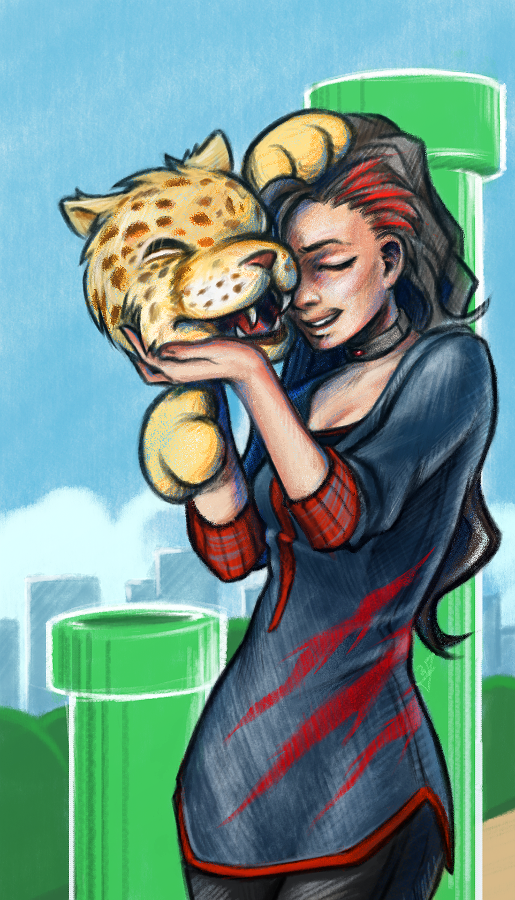
    bird_and_girl_web_3

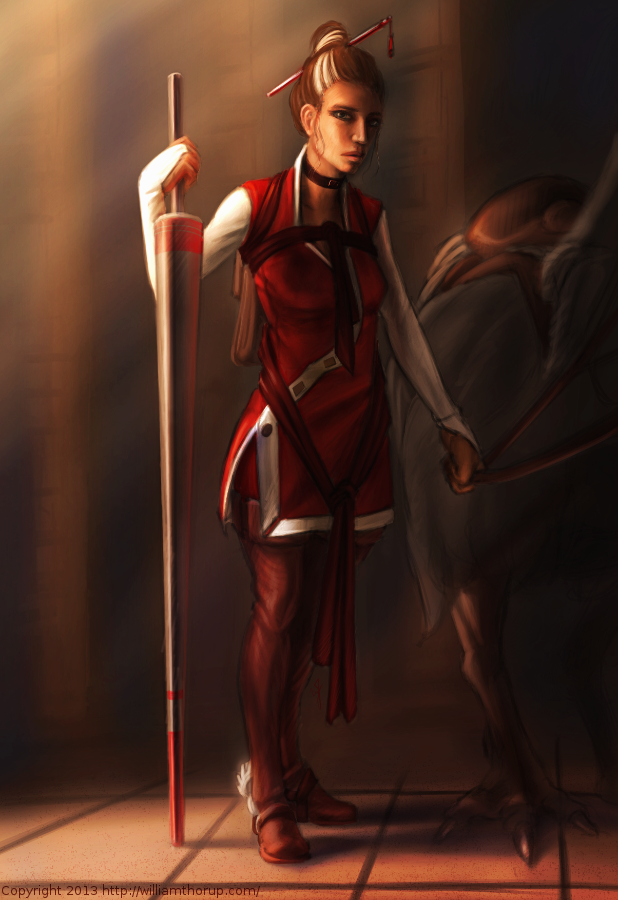
    This time around more Jaguar projects, and this will be the first of a few posts. As you already know, my brother and I are involved in homebrew development for the Atari Jaguar. One of the projects we are working on is a Flappy Bird clone called Flappy McFur. There is more information on the project page, if your interested. In a nutshell, we are about halfway through development, and I am in the process of getting some art together for packaging and inserts, while my brother closes in on our end goals for the game. This is the first piece of official artwork for Flappy McFur.

    Before I get started though, just a thank you to everyone in the Thor Media office for feedback on the piece. It is always great to get feedback on my work, when I am too blind to see the mistakes.

    Because of the light nature of the game, certain design choices for maintaining a consistency across the artwork became apparent. First, match the saturation of game. Simple enough, yellows, greens, and reds are saturated, while everything else not so much (I guess that leaves my blues…) Which medium to use was a simple choice for me as well, colored pencils. I love working in colored pencil, probably the first medium I truly dove into and experimented with. Because of it’s affinity to the the look of crayons, but still maintaining the ability to create the detail I want in my drawings, I feel that it will match the mood of the game well. Also, Krita simulates pencils pretty darn well, and it feels almost as good as the real thing.


    With these few design choices, I believe the next 3 or 4 pieces will maintain a consistent feel.

    Speaking of the next pieces. I want to go with a cute and sometimes funny theme for each. Where McFur and his friend are in a playful mood. We might be incorporating McFur’s friend in the game some how. I like her design so far, but it may need a few tweaks for the game. I am hoping to put together a small comic for the game manual as well, but we we’ll see what happens there. Stay nearby, I will have a few more of theses over the next few weeks.
  • Loaded | Illustration

    Loaded | Illustration

    I have been meaning to write about this one for a while. I put this one together about a month ago, and it has been posted in my portfolio and other galleries. No time lapse video, but I was able to put together a small snapshot video with the different revisions I had saved. Also, before we continue, I have to thank Michael Buhler for his input on color, lighting, anatomy, and proportions.

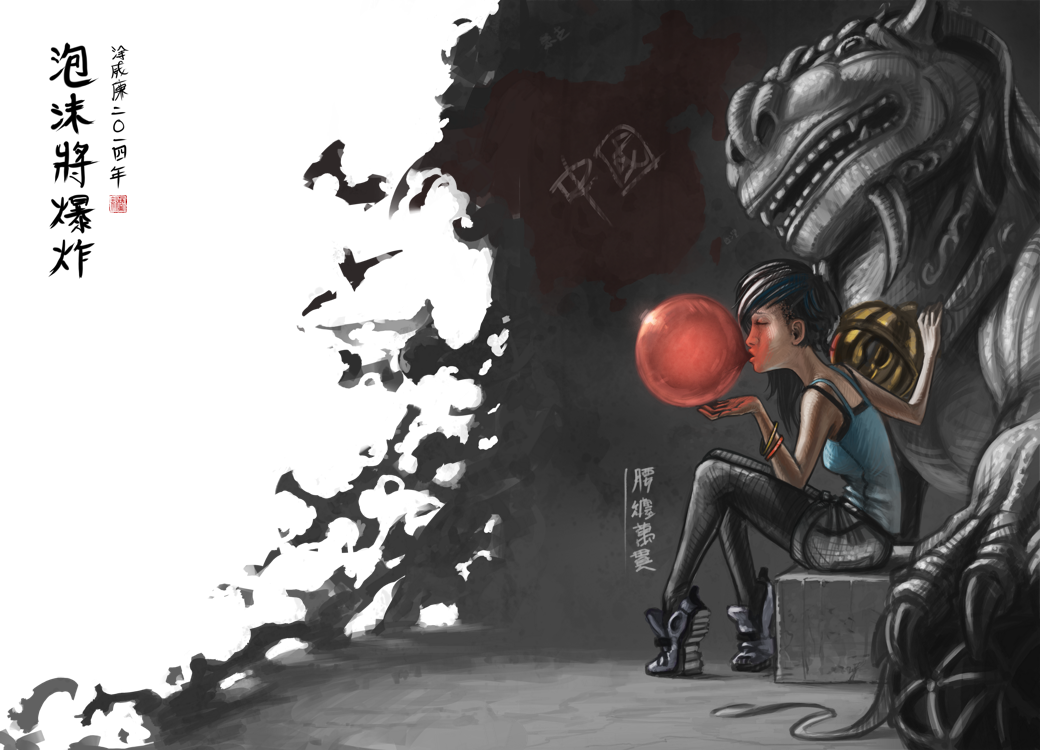
    bubble and lion_web

    There were a few things I wanted to focus on for this one. First, color was priority. I wanted to keep my color pallet very specific. At first, I was trying to go for something a bit more abstract, overall blue line art with pinks and reds. I was struggling to get it to work, so, I decided to revert to something a bit more comfortable, and realistic. And, I decided to focus on the overall message I wish to portray in the piece, making sure that the composition, pose, lighting and color, all tell the story well.

    From a skill building perspective, I focused on rendering various materials. There is the bubble, obviously, but also the rock, clothing, hair, and skin were focused on to create the subtle differences each material has. While still maintaining my current style, I believe that I pulled this off fairly well, but there is still room for improvement.


    As for the story I was trying to tell. I wanted to make a something political, focused on China’s booming economy, and how every bubble eventually pops. The characters on the left basically say that, and the characters on the right hand side of the piece are a Chinese idiom for someone who is loaded. The use a bubble gum not only covers the idea of a bubble growing, and establish anticipation with the inevitable pop, but gum tends to be something that is sweet and enjoyable. All good things must come to an end, right? The girl is dressed in very casual, and somewhat immodest clothing, to represent the adoption of many western trends. But as things are with transitions like this, she still holds on to whats familiar in traditional Chinese culture, shown by her gripping the lion towering over her.

  • Wendigo of Terror | Illustration/Concept Art

    Wendigo of Terror | Illustration/Concept Art

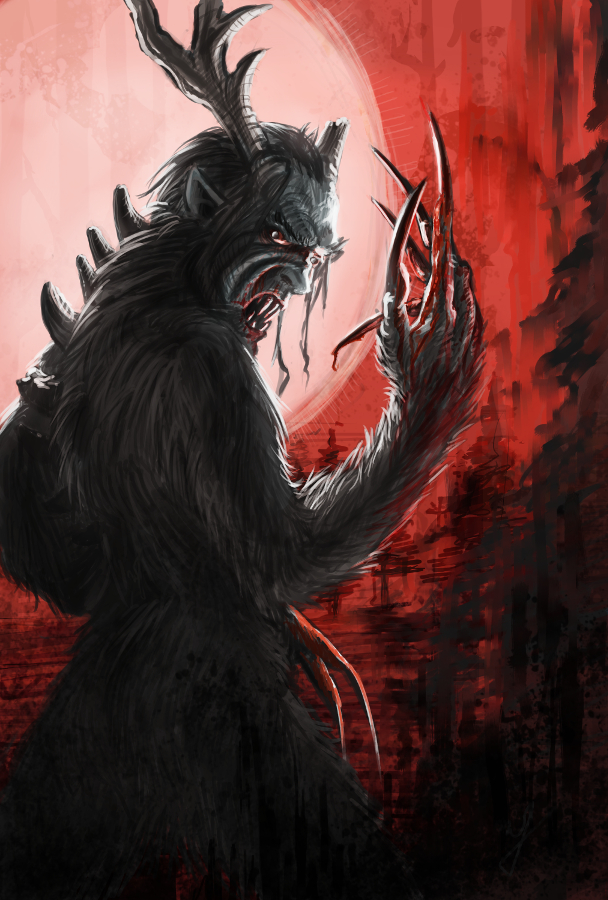
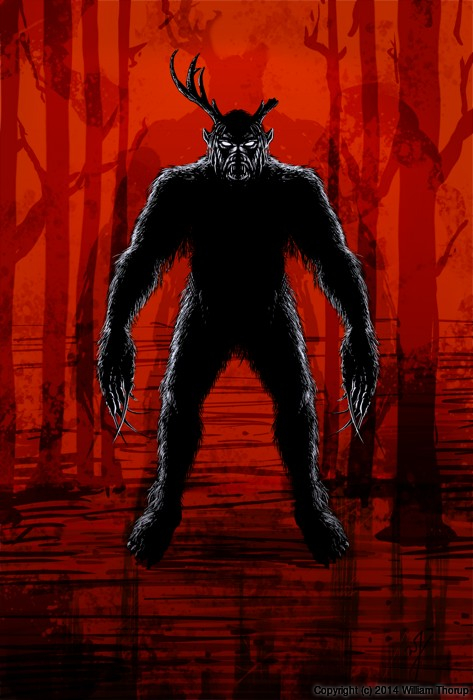
    Here is another piece for your eyes, a treat. You may be thinking to yourself that this isn’t the kind of work I usually do. You would be right in thinking that, this is definitely off the beaten path for me, and here is why.


    wendigo_colored_web


    Wedingo_Terror_thumbs_webwendigo_of_terror_poster_ideawendigo_2_tone_front_flattened


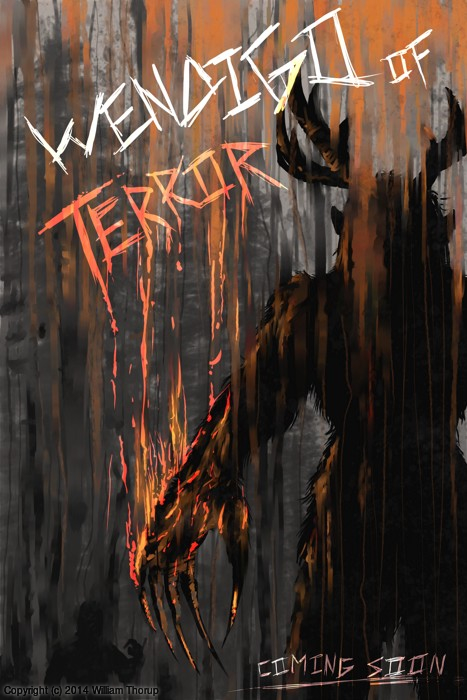
    We have been in some minor communication with someone who works at Arrowstorm Entertainment. A movie studio here in Northern Utah that focuses on fantasy and science fiction films. This person asked if I could put together a concept piece for a possible B horror film monster. A Wendigo creature that originates from the Great Lakes area of the United States, and is usually centered around myths that deal with the, pseudo, adverse effects of cannibalism. The content isn’t my favorite, but the job paid good, and it gave me a change to stretch out of my usual bubble.

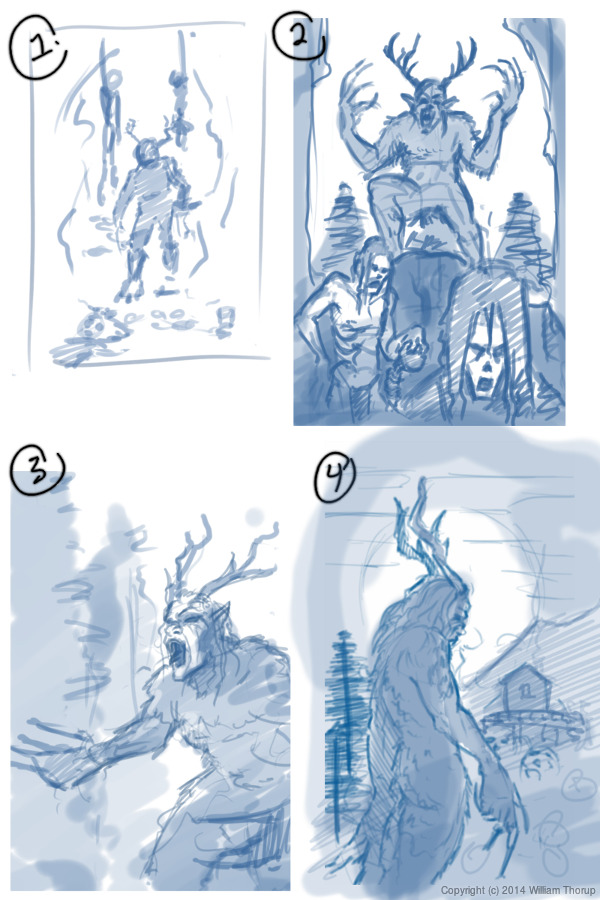
    I did quite a few thumbnails for this piece (20+) and actually did three complete paintings, before we found what the client liked most. The process was very enlightening, and had allot of momentum. Really, the momentum is what made this painting fun. The client was in constant communication with me, and gave feedback when I needed it.

    Overall, I spent too much time on the painting though. I was trying to keep my total work hours under 6, but ended up going over 9. This was for a few reasons. First, and foremost, when I was first presented the job, I should have asked a bit more about the production and where it was currently at. This leads to the second problem. The project had hardly been refined, and the story, background, and other details about the creature, where watery. This is why so much time was put into thumbs and other paintings.


    I should have stepped back, asked the client to refine their ideas a bit more, and then approach the painting after a bit more forethought was applied.

    I am happy with the end result, and the client was as well. I hope to have a bit more work with them in the future, and hopefully work on some of their movie posters and other concept work.

  • For Liberty | Illustration and Time Lapse

    For Liberty | Illustration and Time Lapse

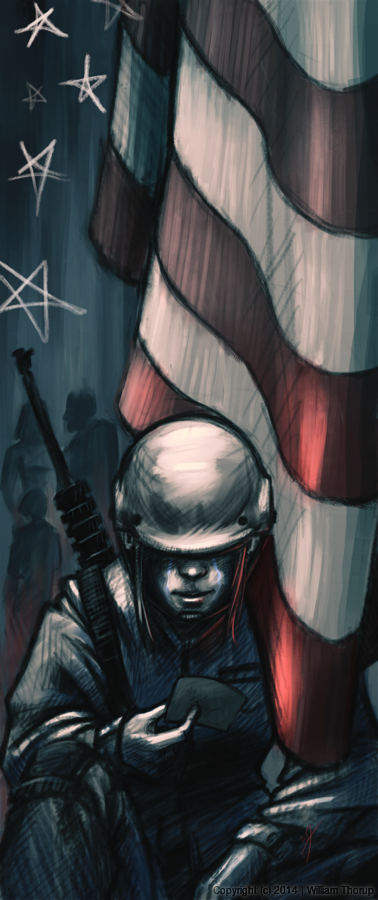
    A small gift to the men and women who serve for the cause of our liberties, rights, and freedoms. I also would like to thank all those around the world who fight for these causes, whether you fight for the United States or not. Every human being deserves these blessings in their lives, and today, we remember the price that must sometimes be paid for those blessings.

    for_liberty_web

    This painting took about 4 hours to complete. The entire painting was done in Krita.

    I focused on the color pallet for this painting. I wanted something a bit abstract, but not so abstract as to distract the viewer of the story being told. I wanted a sad and somber tone to the image, so, I stuck to cool colors. Primarily blue, greens, and grays. Red and white were my highlight colors. Then, I controlled my satruation in specific areas, in order to bring focus to the parts of the painting I wanted the viewer to see first. I feel overall the composition is good, maybe a bit crowded, but still attractive.

  • Atari Jaguar | JagCorner Review | Iron Soldier

    Atari Jaguar | JagCorner Review | Iron Soldier

    Another JagCorner video to talk about. We have kind of been all over the place with the kind of YouTube videos we would like to do. We know we will continue to do the BitJag Development Journals, and we are pretty sure we are going to keep doing the JagVirgin episodes as well.


    I guess the reason why we are jumping all over the place is because we are trying to counteract all the negative coverage of the Atari Jaguar. Lets just say, this console doesn’t get the highest score on most gamer’s Hi-Score lists, but it’s unfortunate that there is so much negative for a system that has so much positive. I guess one of my personal goals with doing these JagCorner videos is to promote the great things about the system.

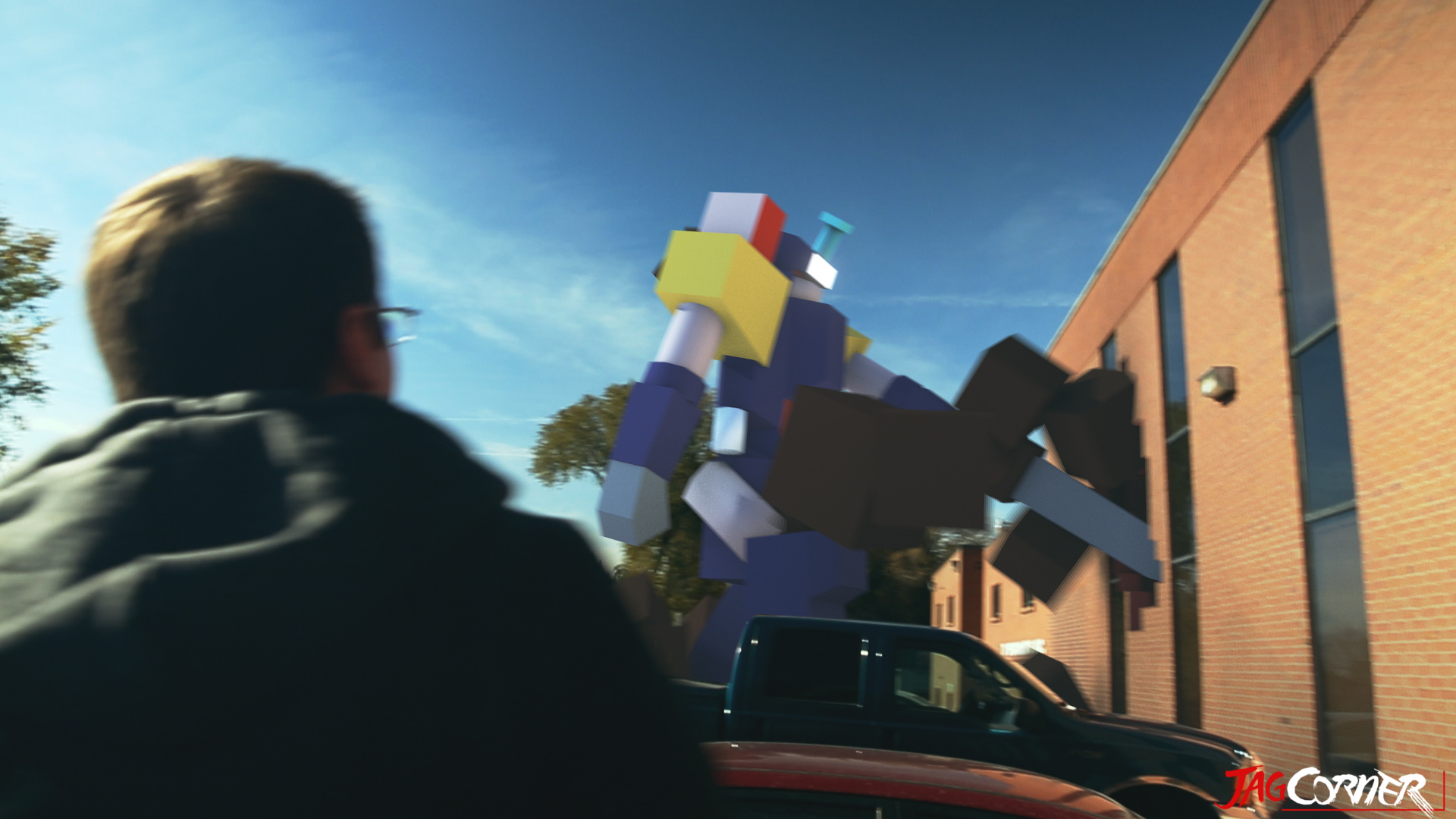
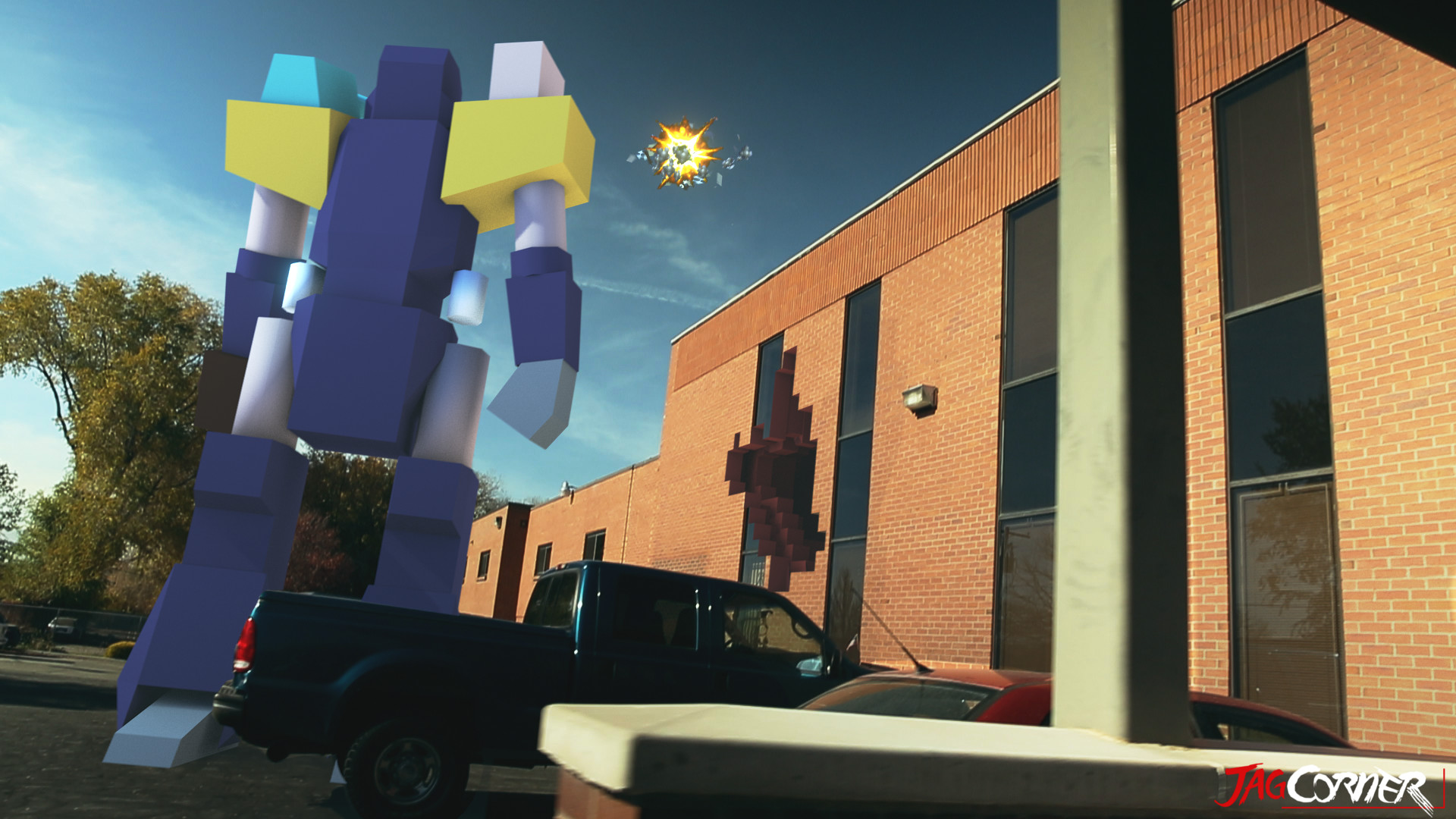
    Moving on, what I really wanted to talk about was the opening skit for this review video. I am taking these videos as an opportunity to build a portfolio and push my visual effects skills, and I was glad to see that this shows well in this video.

    iron_soldier_fx_shot_final_0653

    iron_soldier_fx_shot_final_0805

    Jacob and Bryce helped me come up with and execute the concept and it came together almost flawlessly. Everything was done in Blender. Modeling, Texturing, Rigging, Animation, Camera Tracking, Compositing, Editing, and Rendering of the entire video included. I love the Blender tool set, and it never seems to fail me.

    The hardest part about this video was the camera tracking. There were no purposely place tracking points in the shot, and the one section I had trouble with was when I stepped out of TV Specialists back door and then the camera swings to the left, revealing the Iron Soldier. I had to manually track 20 or so frames to get the camera swing, simply because all the information in the show was too blurred to track. Other than that, the track was fairly easy, with just a few minor slides and jitters in the final result, almost noticeable. At the end of the day, the entire production was 30 man hours. I wanted to spend more time, but we set a goal to have it released by Thanksgiving.

    iron_soldier_end_card_scale_example

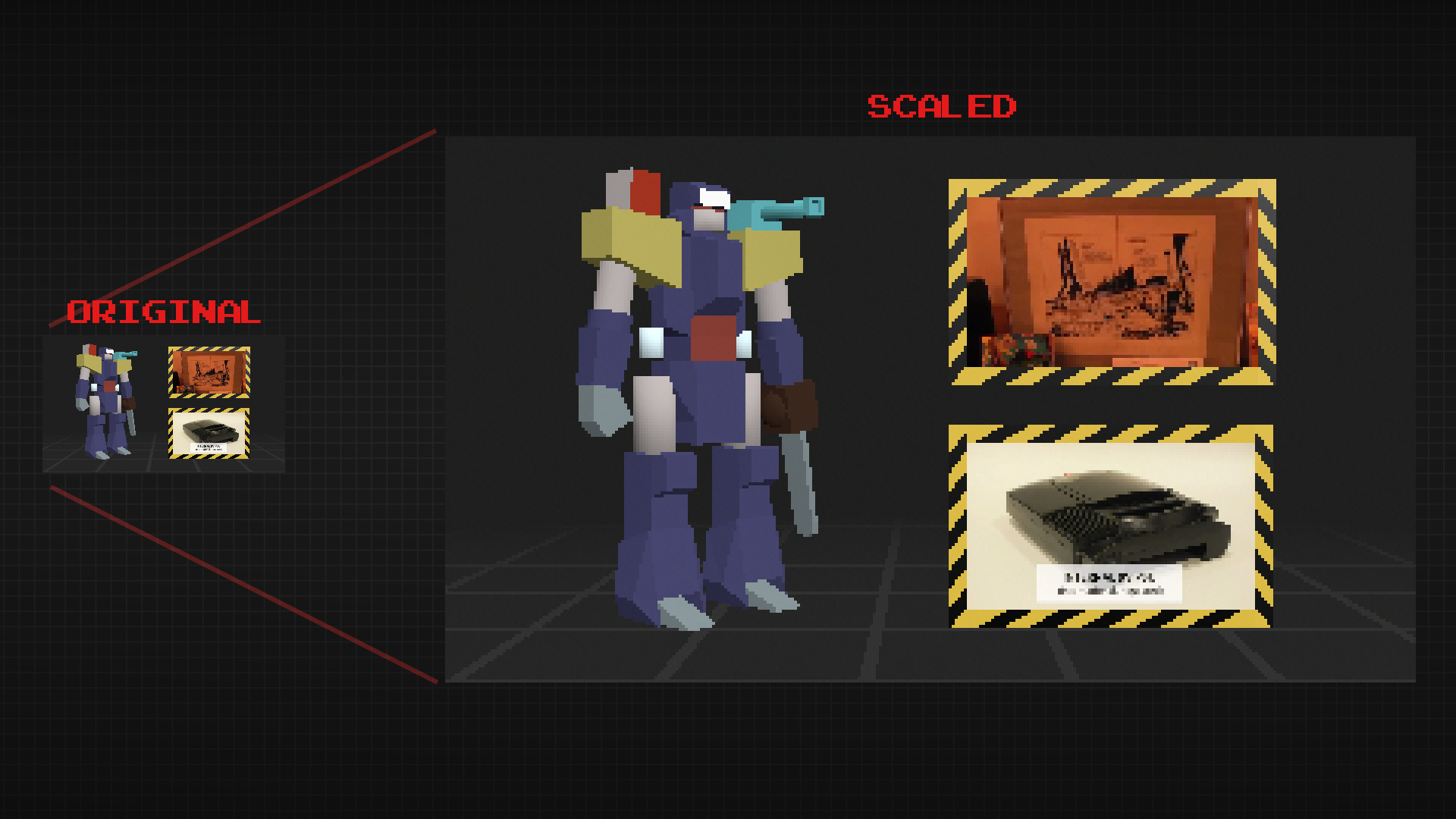
    The end card is a bit special. To achieve a more nastalgic feel, I rendered it out at 320×180 (a 16:9 resolution) and then scaled it up to 1920×1080 with no filter. This maintains the jagged edges on the polygons making it still feel like a low resolution, up-scaled to a high resolution.

    Overall, the result was almost exactly how we imagined it, and I love it when that happens.

  • Krita Time-Lapse Painting | Another Portrait

    Krita Time-Lapse Painting | Another Portrait

    There are different kinds of goals in relation to art. One of those goals could be study goals, like, I am going to focus on drawing hands, or learning to render light and shadow correctly. I would talk about a goal that can have a much deeper effect on the viewer, than say the anatomically perfect hands you drew last week.


    skin study portrait_web


    The kind of goal that should apply to just about every painting, drawing or sketch that you produce. This kind of goal can be established with one question, what do you want the viewer to think, feel or do when they see your work.

    Of course, sometimes an artist throws all care to the wind and just creates, and there is nothing wrong with that, but even approaching your art with that attitude is going to come across to your viewer in the final work. How powerful could your art be if you took charge of what your work is conveying to the viewer on an emotional level?

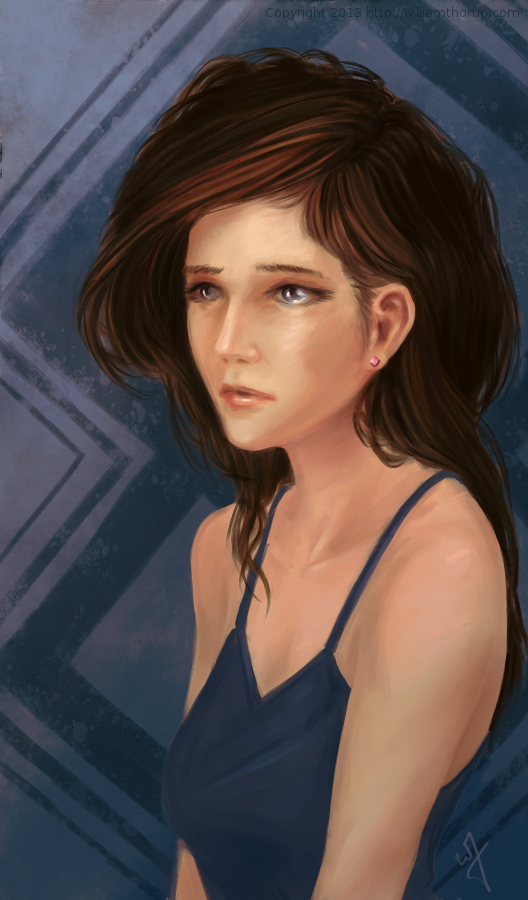
    When I started this painting, it was just going to be a study on rendering light a certain way, this is why the very beginning of this painting isn’t in the video. I wasn’t planning on doing a time-lapse at all. Out of this one goal spawned an important question, what is this imaginary person like, and how can I bring that personality into the painting, and make it recognizable to the viewer?


    A portrait not only contains the physical appearance of a person, but can also portray what kind of person they might be. So, about 20 or 30 minutes into the painting I realized that I had a greater goal in this painting, that was to evoke specific feelings in the viewer. The goal also included really focusing, through the entire process of the painting, to make sure the former goal was reached.

    Ask yourself this, what do I want people to think or feel when they see my work? See what happens when you really focus on the answer to that question while you are painting or drawing.

    Because of the subjective nature of art, I won’t say what I want you to feel when you look at this piece, but, as an artist, my hope is, is that you feel something similar to what I felt while working on this painting, and when it was finished.

    Look forward to some more time lapse videos in the future, and Thanks for watching.

    Krita was primarily used, with Gimp for some post color correction.

  • Krita | Bringing Balance | IIllustration

    Krita | Bringing Balance | IIllustration

    At the end of my vacation week in San Diego California, I have had plenty of time to paint.  Here is what I have been able to put together this last week.


    Bringing Balance_web


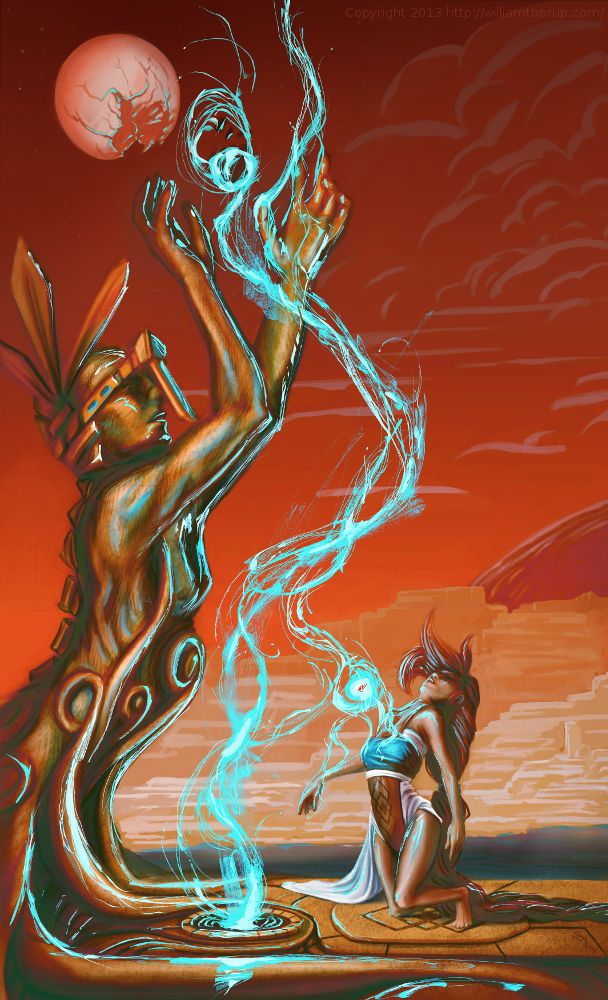
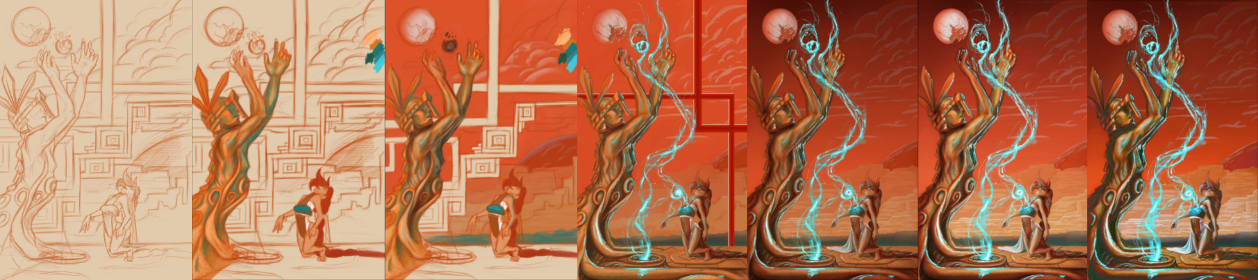
    I recently went to a seminar about cinematography, which talked about composition in film, among other things, and the speaker talked about color schemes a little bit, and he pointed out something very interesting. Apparently Hollywood is really into teal and orange color schemes. He showed examples of posters from Tron, Transformers, Ender’s Game, etc. and his point was really well established. He showed video clips from movies that used this color scheme all over the place, and what’s cool about it, is that it is a very appealing color scheme. People really like it, and I decided to give it a try, with a twist.

    bringing_balance_final_painting_process

    I didn’t stick to that exact color scheme in this piece, but I did have it in mind. What I was leaning towards was something more like what Pascal Blanché produces. I Love his color schemes, to me they come across as a distinct dark sci-fi/fantasy feel that is hard to achieve any other way. So with that style and a more orange and teal/orange color scheme, I think a came up with a good result. It isn’t as refined as Blanché’s technique, but it still produced a good result with my current skill level.

  • Krita | Character Illustration | Jouster

    Krita | Character Illustration | Jouster

    Some more stuff for our Atari Jaguar project. I have been working on story ideas and concept drawings for our jousting game, and this design came to mind.


    Jouster_web


    If you haven’t already, head over to http://bitjag.com/ and check out the three projects that we have in the works. Not a whole lot of visual concepts yet, but stories are being put together and their general concepts are listed on that site.

    What I enjoyed most a about this painting was the lighting. The composition and the pose could be better, but I think the good lighting helps make up for that. It really brings the viewer’s eyes to key and attractive points in the painting, and overall, it is very comfortable to look at.


    On another note, if you haven’t noticed already, most of my most recent paintings have all been done in Krita. I am in love with the program, the interface and default shortcuts work great with my Cintiq 13 HD, and overall it seems like a much smoother experience than Gimp lately. Gimp has been having some serious issues with my hybrid ATI graphics setup, and so, I mainly use gimp for my graphic design work.

    Don’t get me wrong though. Gimp is a great program, and it has been especially useful lately because of all the web graphics that I have been doing. Krita just provides a workflow that feels smoother and faster to me, and I think that I will be using it for many of my paintings in the future.

  • Krita Time Lapse Painting | The Waker

    Krita Time Lapse Painting | The Waker

    I have been trying to get this painting posted for over a week. Ran into issues with my computer and work has become really busy. But, the excuses can be annoying, so, here it is.

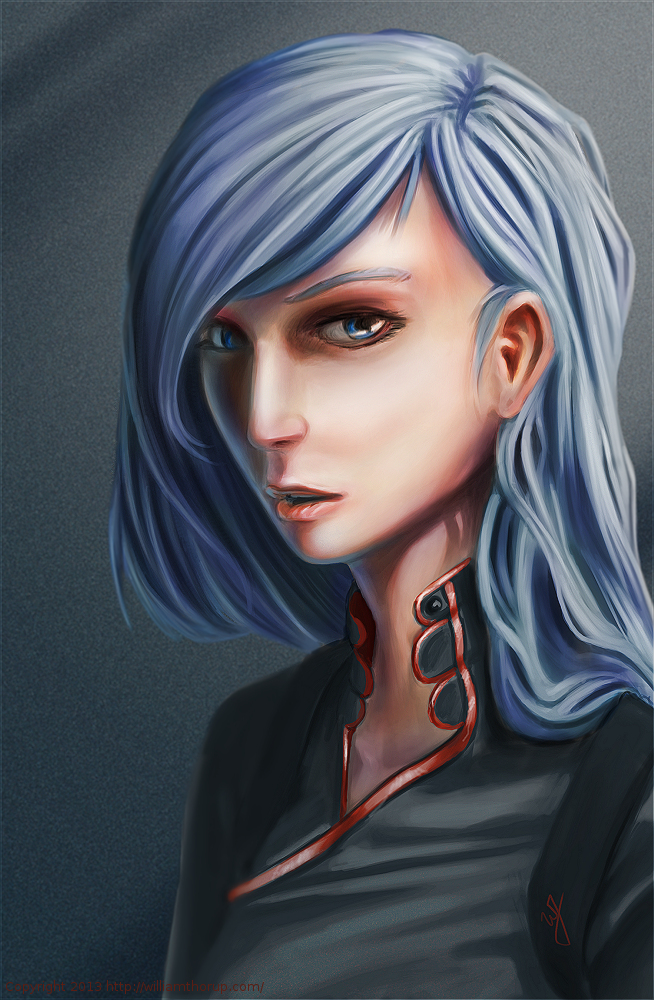
    This painting was very much spontaneous. During a digital sketching session, this face came out, and I decided to push it to a finished rendering.


    the waker_web


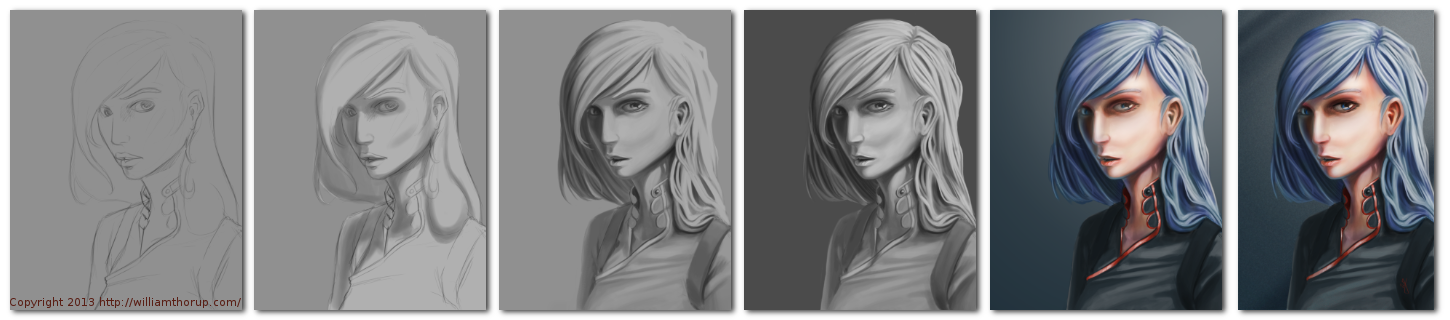
    This painting got me a bit worried, since it had been a while since I tried to tackle realistic lighting. Rendering correct lighting has always been a bit intimidating for me, but I seem to have handled it well. I first broke down the steps. So, instead of trying to take on both color and light at the same time, I decided to do a grey scale painting first. Simplifying the process overall, and allowing myself to focus specifically on how light is interacting with the form.

    Digital art really makes coloring an image easy. I pick a color, slap it on a with a different layer in “Overlay” blending mode, and if I ever need to change it, no problem. Just use a Hue/Saturation/Value filter to adjust the color. As you can see in the video (3:40 and 3:52), I did this for her hair and her clothing.


    I love painting skin. The key to making skin look alive, are the areas where light transitions into shadow. Because skin isn’t completely opaque, light will enter the upper layers of the skin, hitting blood underneath, and will bounce back oranges and reds. The is particularly prevalent in the transitional areas between light and dark.

    A good example of this in this painting, is her chin, starting at 4:17 in the video. A few other things to keep in mind when painting skin is to play with other colors on top of the skin with a layer set to an “Overlay” blending mode. Colors like green and yellow can add healthy variety to lighter areas of the skin, while violets and blues can saturate your shadows making them appear more realistic. At 3:39 in the video, you can see I added a light layer of blue to under the jaw line.

    One thing that was unexpected in this painting was her hair. The hair that falls down her neck turned out to be much more complicated than I originally planned at the sketching phase. I had fun spending the time rendering it, and I feel it adds a certain level of detail that the painting wouldn’t have otherwise.


    the Waker_Six step process


    I feel a bit silly mentioning this, but her ear is something that I am proud of. I didn’t spend as much time rendering it than I did other portions of the painting. The structure is very much convincing, but still has the brush strokes that I like to see in my work. One other thing I enjoy about this painting are the facial proportions. I am still far from being a master when it comes to proportions, and that can be clearly seen in my work. But the scale of her mouth compared to her eyes and nose are pleasant, and seem to go well with the piece as a whole.

    These paintings that I do without reference always surprise me ounce they are done. I find it fascinating to think pack on my processes and ask myself why I did something a certain way. It helps me to see what I do well, and what I still need work on.

  • Gimp 2.8 Time Lapse | Quick Portrait | The Scientist

    Gimp 2.8 Time Lapse | Quick Portrait | The Scientist

    This one might count as a weekly sketch review, since it was really just a study in lighting. This face was actually from a sketch session of many faces I started a couple weeks ago. I decided to go back and pick one of those faces and push it a bit further.


    The Scientist_Process_web


    head sketch_web

    I think that I have been using Krita a bit too much. The shortcuts, like the shift+drag to adjust brush size, have spoiled me. I keep thinking that they should include the option in the Gimp. But I also understand that Krita is more geared for an artist like me, while Gimp is more built for photography. Both programs have their good and bad qualities, and I still enjoy using both programs.

    A little about this painting though. I have been studying a bit about photography and lighting for portraits, and I wanted to try my hand at a Rembrandt lighting. Using this kind of light seems to create allot of depth in the subjects face. I wanted her to feel more ominous by dropping the bounced light, creating a starker contrast between the right and left sides of the face.

    I like her somewhat “I’m better than you.” expression, adds to the character. The background says things like “Science” and “Progress”. Her character kind of reminded me of something that you might see in a Final Fantasy game. Overall, I believe the portrait does it job. Enjoy the video!